
One-way or two-way calendar sync: which do you need?
Updated 30 October 2026
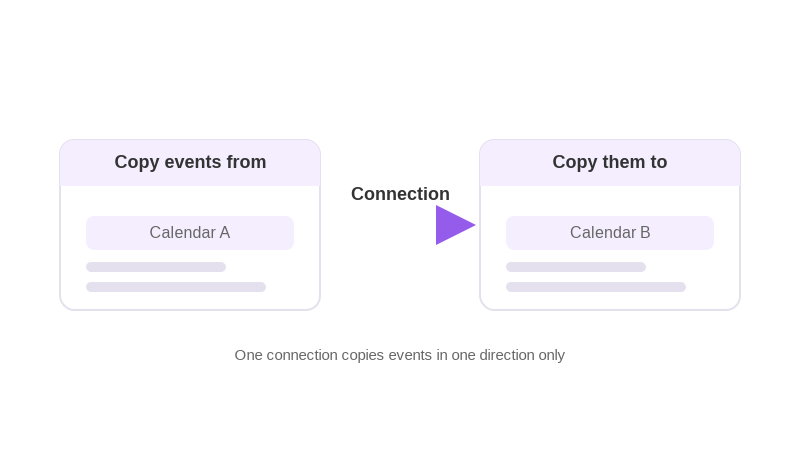
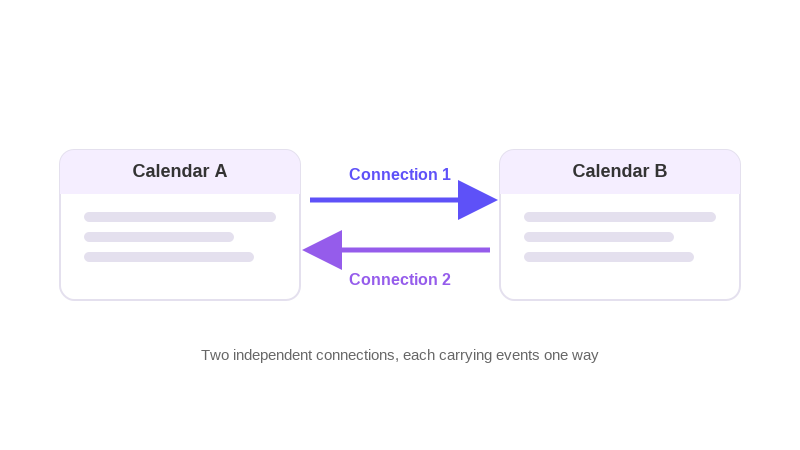
A one-way connection in GetCalendario copies events in one direction: from a source calendar to a destination calendar. To have events travel both ways between two calendars, choose Both ways when you create the connection, or choose Sync both ways on a connection you already have. A two-way connection is a pair of one-way connections that run, pause and go together, and it counts as two against your plan's connection limit.
The plan feature list says it the same way: "One connection is a single sync from one calendar to another. Syncing two calendars in both directions uses two."
Which one do you need?
Choose one connection when only one calendar needs to know about the other:
- Your work calendar should block time on your personal calendar, but your personal calendar does not need to block your work one.
- A client calendar feeds a calendar you look at, and nobody edits the copy.
- You want a read-only picture of one calendar on another.
Choose both ways when both calendars need to show each other's events: you want a work meeting to block your personal calendar and a dentist appointment on your personal calendar to block your work one. Each direction has its own detail setting, its own rules and its own Test Flight check, so changing one direction never changes the other. Pausing or deleting either one affects both.
How to set up two-way calendar sync walks through it.
What does two-way cost against your plan?
A two-way connection uses two connections, one per direction, and isn't available on the Free plan. The connection limits on the plans are:
| Plan | Connections | Two-way pairs that fit |
|---|---|---|
| Free | 1 | none (not available on Free) |
| Basic | 2 | 1 |
| Premium | 12 | 6 |
| Pro | 30 | 15 |
New signups get 14 days with Premium limits and no card, then drop to the Free plan. A pair also needs both calendars to be on connected accounts; the account limit is separate (Free allows 2 accounts). See billing and plans for details on what each plan includes.
If you have more connections than a new plan allows, the extra ones are paused, not deleted. You can pick which ones keep running on the Subscription page, and a two-way connection is kept or paused as one choice. If you do not pick, the oldest keep running.
What to know
- A two-way connection between A and B counts as two connections even though it uses the same two calendars, and is one row on Home.
- Chaining A to B to C also uses one connection per link.
- A rule on one direction does not protect the other. Add the rule to each direction if you want both to behave the same, or choose Same for both when you set it up.
- Combine the two ideas freely: one calendar can be the source of several connections, and one calendar can be the destination of several.
- Pausing or deleting either direction of a two-way connection pauses or deletes both. Separate one-way connections are still independent.
If you are not sure which you need, start with one-way. You can choose Sync both ways later without touching what you have.