
Team engagement: who's using it
Updated 18 October 2026
A team pays for seats, so the person running it wants to know one thing: is everyone actually using it? The Engagement tab on People & Team answers that. It lists everyone the team has asked in, says where each person is, and puts a Nudge button next to anyone who needs a hand.
The tab is first on the Team tab of People & Team. The Owner sees it, and so does anyone in a group with See engagement. Admins have it from the start. See Team groups and permissions. An ordinary member does not see the tab.
Engagement has four views: Overview, People, Connections and Nudges. Along the top it also shows whether Auto-Nudge is on, your own digest schedule with Change, and Report & nudge settings for people who can nudge members. Nudges are covered in Nudges and Auto-Nudge, and the email in The team engagement digest.
Overview
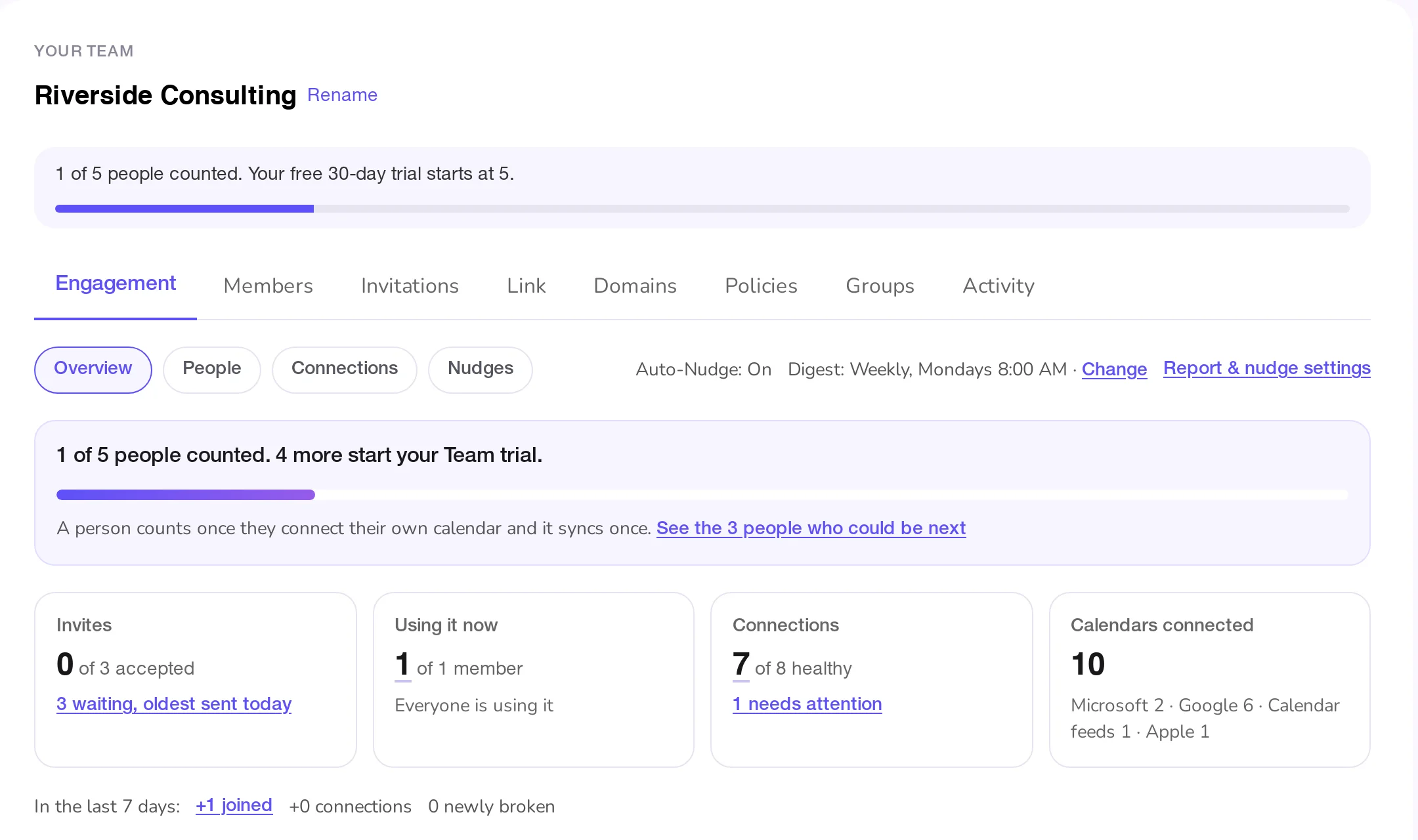
- The countdown (Forming teams only). "1 of 5 people counted. 4 more start your Team trial," with a bar and a link to the people who could be next. It goes away once the trial starts. See How the team trial works.
- Invites: how many invitations were accepted out of those sent, and how many are still waiting, with the age of the oldest.
- Using it now: how many members are using GetCalendario, out of all members, and how many are not.
- Connections: how many of the connections the team can see are healthy, and how many need attention.
- Calendars connected: how many calendars those connections use, by provider.
- Since your last digest: who joined, how many connections were added and how many newly broke since your last digest email. Before your first digest it says "In the last 7 days."
- Needs your decision: people Auto-Nudge has stopped writing to, because it sent every nudge it was set to and the problem is still there.
Every number that stands for a list of people is a link. It opens People or Connections with that list already picked, so the Overview, the lists and the digest never disagree.
People and what each state means
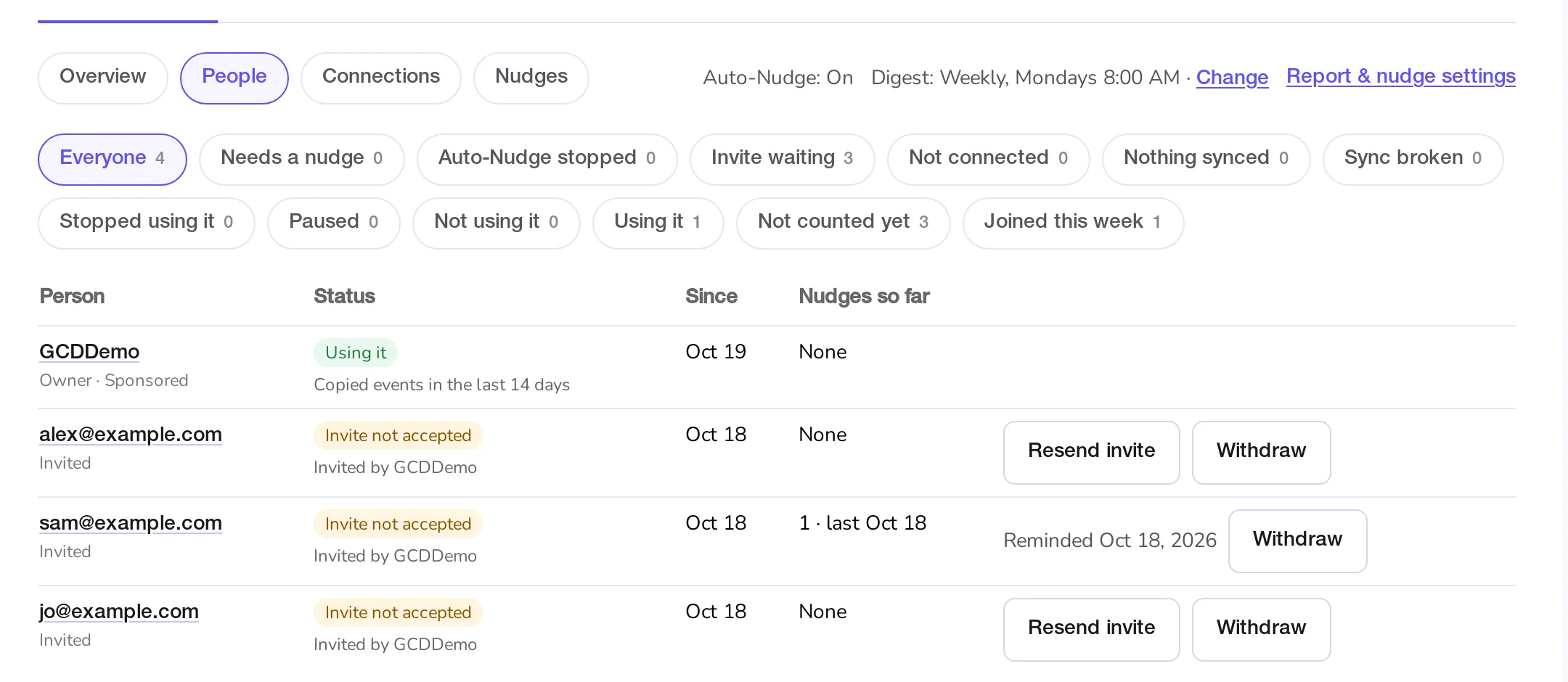
People has one row per person: members, and invitations that are still open. Each row shows the person (with Owner or Admin, and Managed or Sponsored), their state with a short detail, since when, how many nudges they have had, and what you can do. The chips at the top filter the list and show how many people are in each.
Each person is in exactly one state. GetCalendario checks them in this order and the first that fits wins:
| State | What it means | Nudged? |
|---|---|---|
| Invite not accepted | Invited, and hasn't joined yet | Yes |
| Sync broken | At least one of their connections stopped, for example because a sign-in expired or a calendar was removed. "1 of 3 connections stopped" means the others still work | Yes |
| Paused by the team | All their connections are paused, at least one by the team (an unpaid team bill or a team policy) | Never: it isn't theirs to fix |
| Paused it themselves | They paused all their connections | Never: it was their choice |
| No calendar connected | Joined, with no connection the team can see | Yes |
| Connected, nothing synced | Has a connection, but no event has been copied yet | Yes |
| Stopped using it | Copied events before, but none in the last 14 days | Yes |
| Using it | At least one connection that isn't paused copied an event in the last 14 days | No need |
"Using it" means events were actually copied. A connection that checks in every day but has nothing to copy does not count as using it.
Nobody is flagged straight away. An invitation joins Needs a nudge only after the first-nudge wait in the team's settings, and a fresh connection gets a day before "nothing synced" counts as a problem.
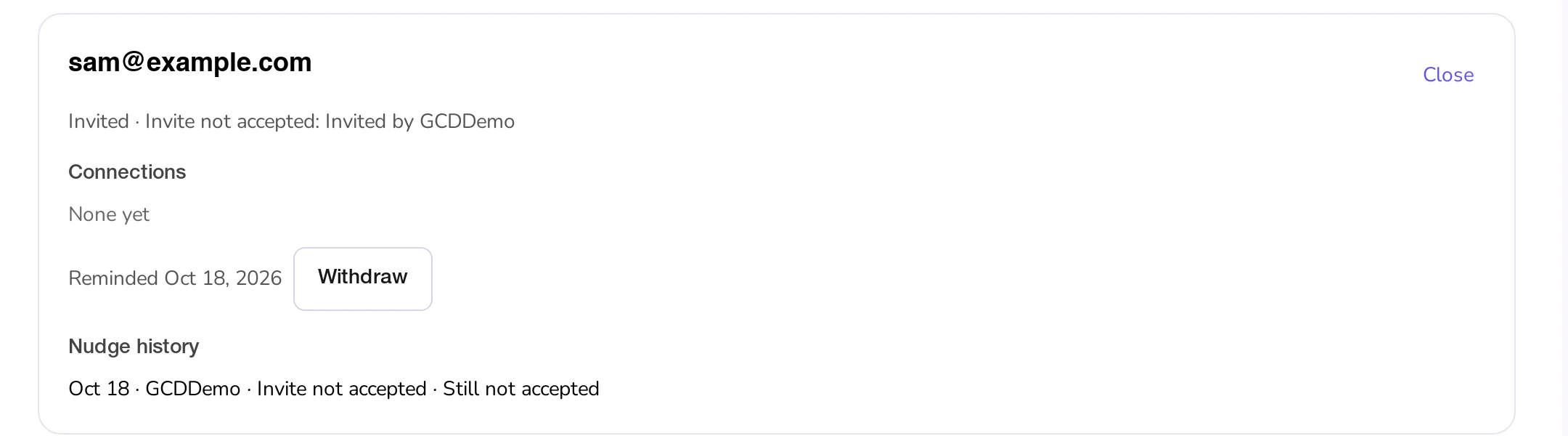
Clicking a name opens that person's panel: their state, their connections with the health of each, the same Nudge or invitation buttons as the row, and their nudge history with what happened after each one.
"Counted" and "using it" are different
Counted toward the team is the rule that starts a team's trial: the person connected a calendar account no other member has connected, and a sync on it has finished once. The Not counted yet chip lists everyone who isn't, including open invitations.
Using it is about the last 14 days, so it can change from week to week. Someone can be counted and have stopped using it. The screens always use these two words for these two things.
Connections
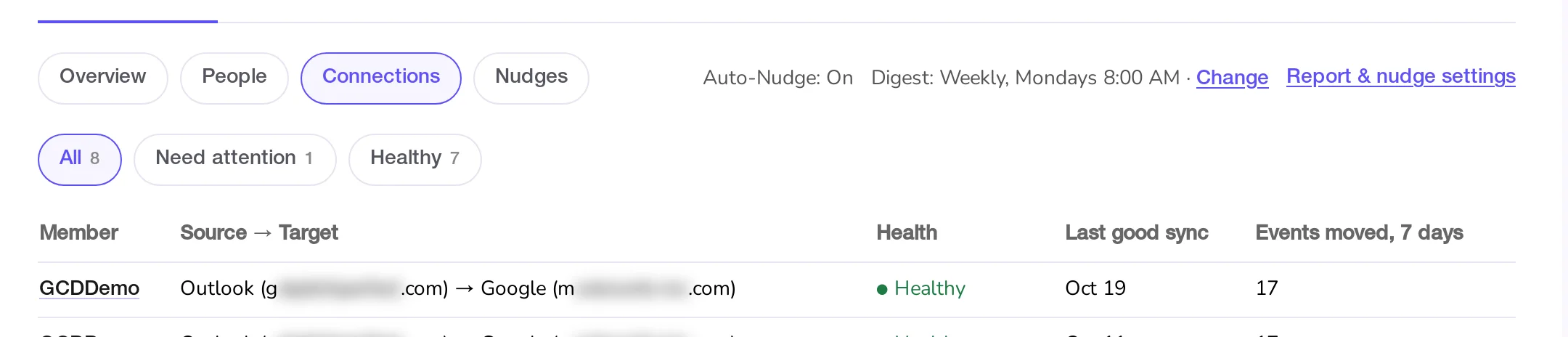
Connections lists each connection the team may see: the member, source and target, health, the last good sync and how many events it moved in the last 7 days. Need attention holds the broken ones and the ones with no events yet. A paused connection is shown as paused, not as a problem. The member's name opens their panel.
What it shows about a member's connections, and what it never shows
The team sees which calendars a member connected and whether they work. It never sees events. Which calendars it can name depends on whose account it is and on the team's settings:
- A connection that touches none of the team's domains is not listed at all, only counted: "7 personal connections that don't touch team calendars aren't shown." A contractor's Gmail syncing to their own Gmail is theirs. This only applies once the team has a verified domain. A team with none, such as a family team, lists every connection, following the rules below.
- Calendars at one of the team's domains always show by name.
- A Managed member's other calendars show by name too, because the account belongs to the team.
- A Sponsored member's calendars outside the team's domains show by name only if the team's Allowed destinations policy is on. Otherwise they show as the provider and the domain, such as "Google (gmail.com)".
Only connections the team can see decide a person's state. On a team with a verified domain, a person whose only connections are personal ones shows as "No calendar connected" with "Only personal connections (not shown)."
Members are told this when they join, and agree to it. The full list of what a team can and cannot see is in What a team can and cannot see.
What to know
- The tab is read-only for someone with See engagement but not Nudge members: the same screens, without the buttons.
- "Joined this week" lists people who joined in the last 7 days.
- On a phone the tables scroll sideways inside their box.