
Get the family calendar onto the one you already use
Updated 11 October 2026
There's a family calendar, and it's even up to date. The problem is that nobody looks at it. Each parent lives in their own Google or Outlook calendar all day, and that's where a 5:30 practice needs to be if anyone is going to leave work on time for it.
A connection from the family calendar onto your own puts the kids' plans where you'll see them, next to your meetings, without anyone keeping two calendars up to date.
Family calendar → GetCalendario → your own calendar
Set it up
- On Home, choose New connection.
- Copy events from your family calendar, and copy them to the calendar you use every day.
- Choose how much comes across. Everything suits your own calendar. If colleagues can see the calendar you're copying into, Busy only blocks the time without saying what it's for.
- Finish the wizard. Test Flight copies a couple of events first so you can check them, then the rest follow.
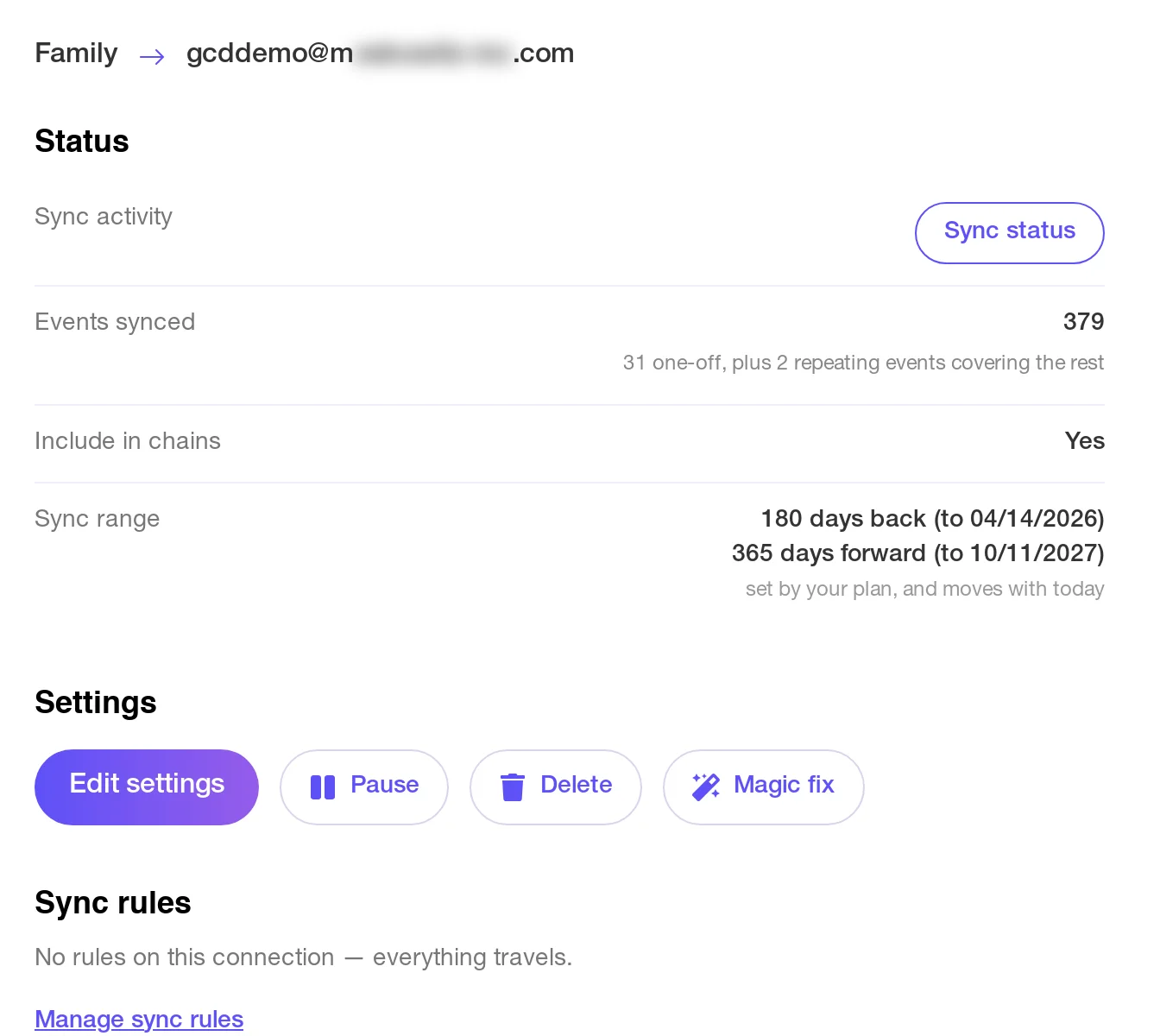
Here the family calendar is copying onto a parent's own Google calendar:
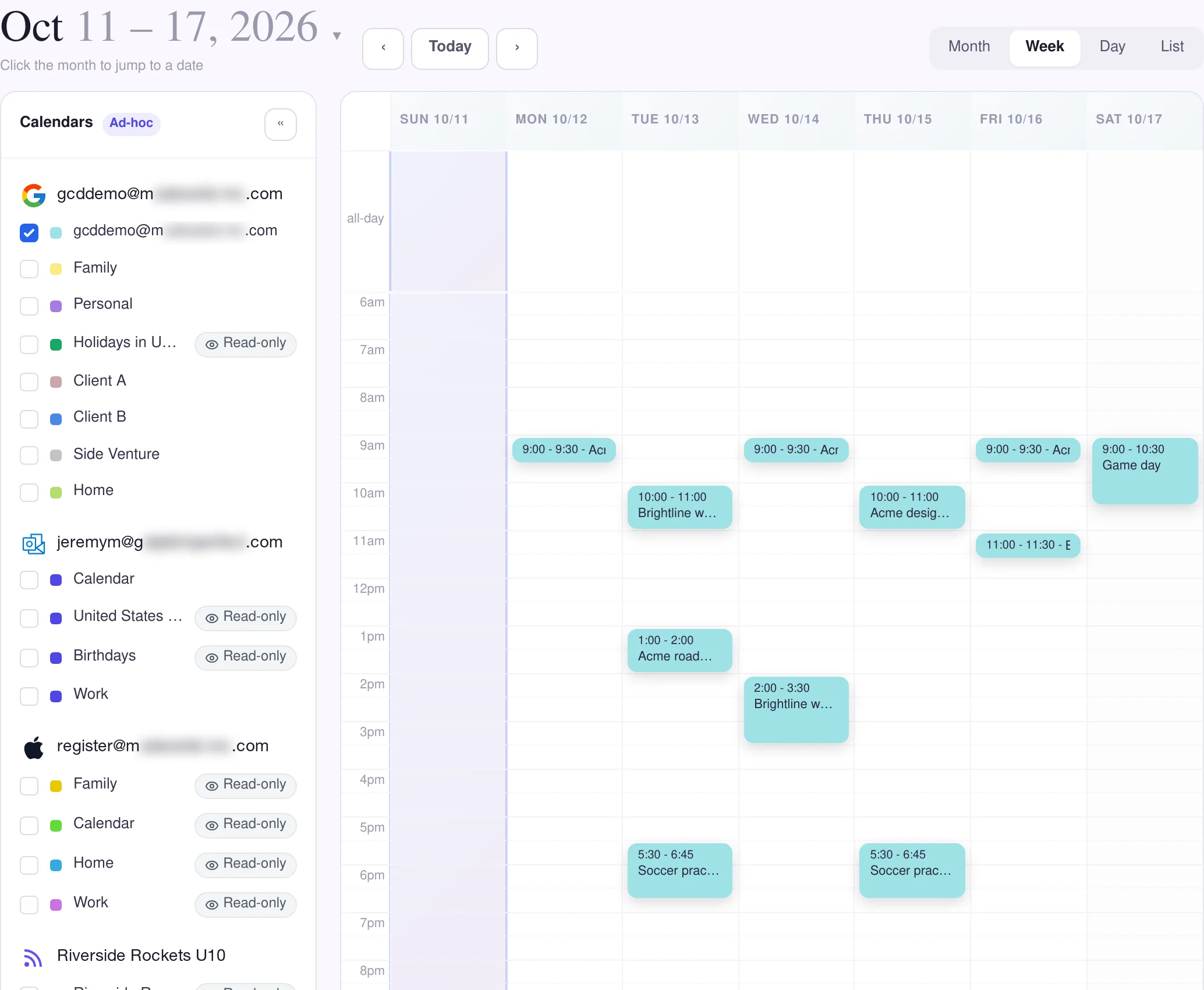
The parent's own week now has the kids' practices and the Saturday game beside their client meetings:
Do the same for the other parent: one connection from the family calendar to each person's own calendar.
Good to know
- Events that reached the family calendar from elsewhere come too. A connection's Include in chains setting is on unless you turn it off, so the team's schedule from a calendar feed and anything another connection copied into the family calendar travel onward as well.
- Use a calendar that doesn't already feed the family calendar. If your work calendar sends its events into the family calendar, copy the family calendar onto your personal calendar instead. GetCalendario won't set up both directions between the same two calendars.
- Nothing comes back. The connection copies one way: a change you make to a copy on your own calendar doesn't change the family calendar. Change the original there.
- Leave some things out. A rule on the connection can keep chosen events off your calendar, for example anything with "Grandma" in the title. See how to stop certain events from syncing.
Building the family calendar itself? See a shared family calendar across Google and Microsoft.