
Team, school and club schedules that fill themselves in
Updated 11 October 2026
The coach emails a season of practices, the school posts its calendar on its website, and the swim club has its own. Copying every date into the family calendar by hand takes an evening, and the first rained-out game or moved practice makes it wrong.
Most teams, schools and clubs publish their schedule as a calendar feed: an address that ends in .ics or starts with webcal://. Give that address to GetCalendario once, connect it to the family calendar, and the schedule keeps itself up to date from then on.
The team's schedule → GetCalendario → your Family calendar
Set it up
- Find the schedule's calendar address. On the team app or the school's website, look for "Subscribe", "Sync to calendar", "iCal" or "Add to calendar", and copy the link instead of clicking it.
- Add it as a calendar feed. On Home, choose Add account, then Calendar feed (.ics link - Read Only). Paste the address and give it a name you'll recognize, like the team's name. How to add a calendar feed walks through each screen.
- Connect it to the family calendar. After the feed is added, the new-connection wizard opens with the feed already chosen. Pick your family calendar in Google or Outlook as the one to copy into, and finish the wizard.
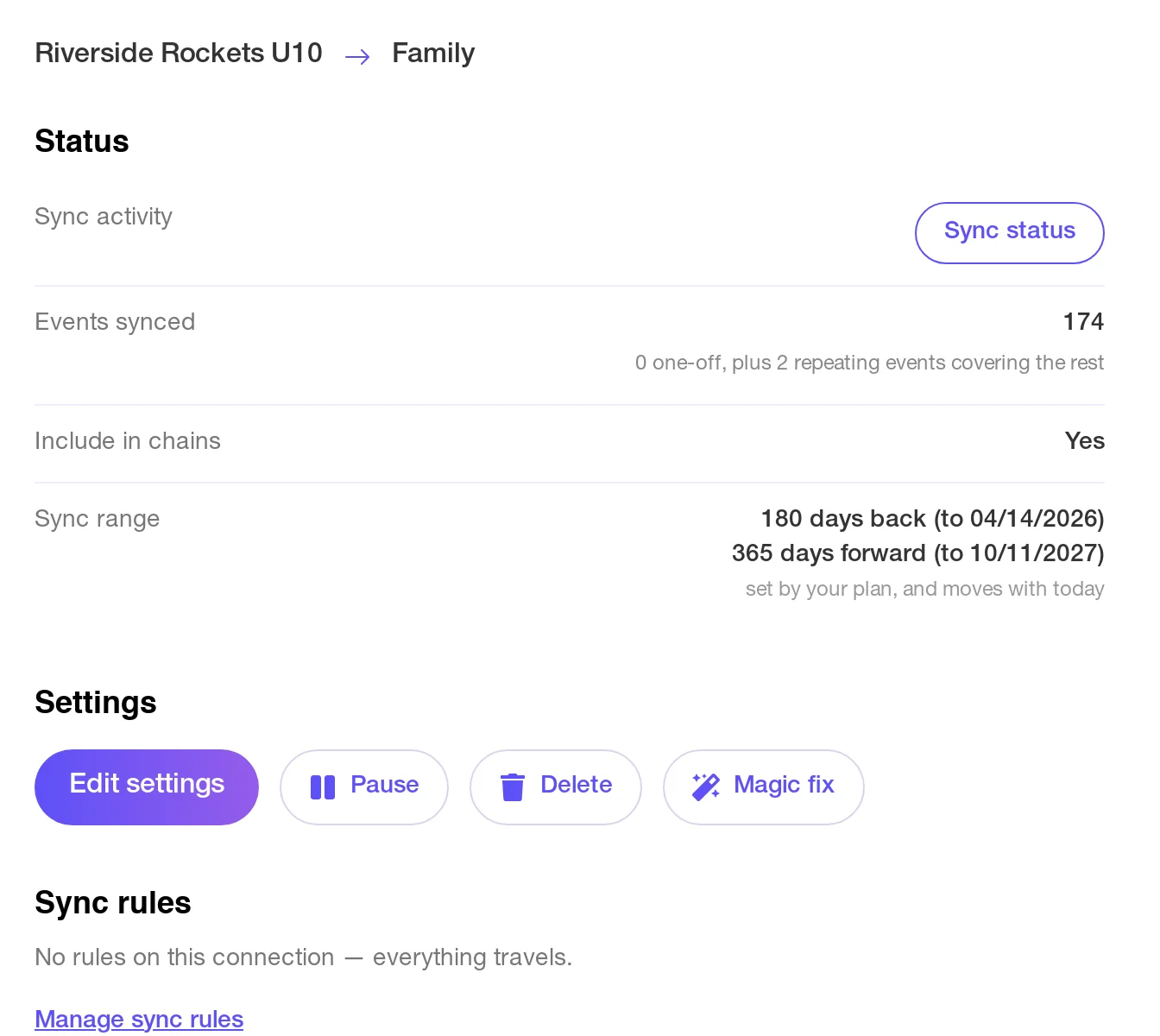
On Home, the new connection shows the team's feed copying into Family. Here a weekly practice and a Saturday game make up the whole season:
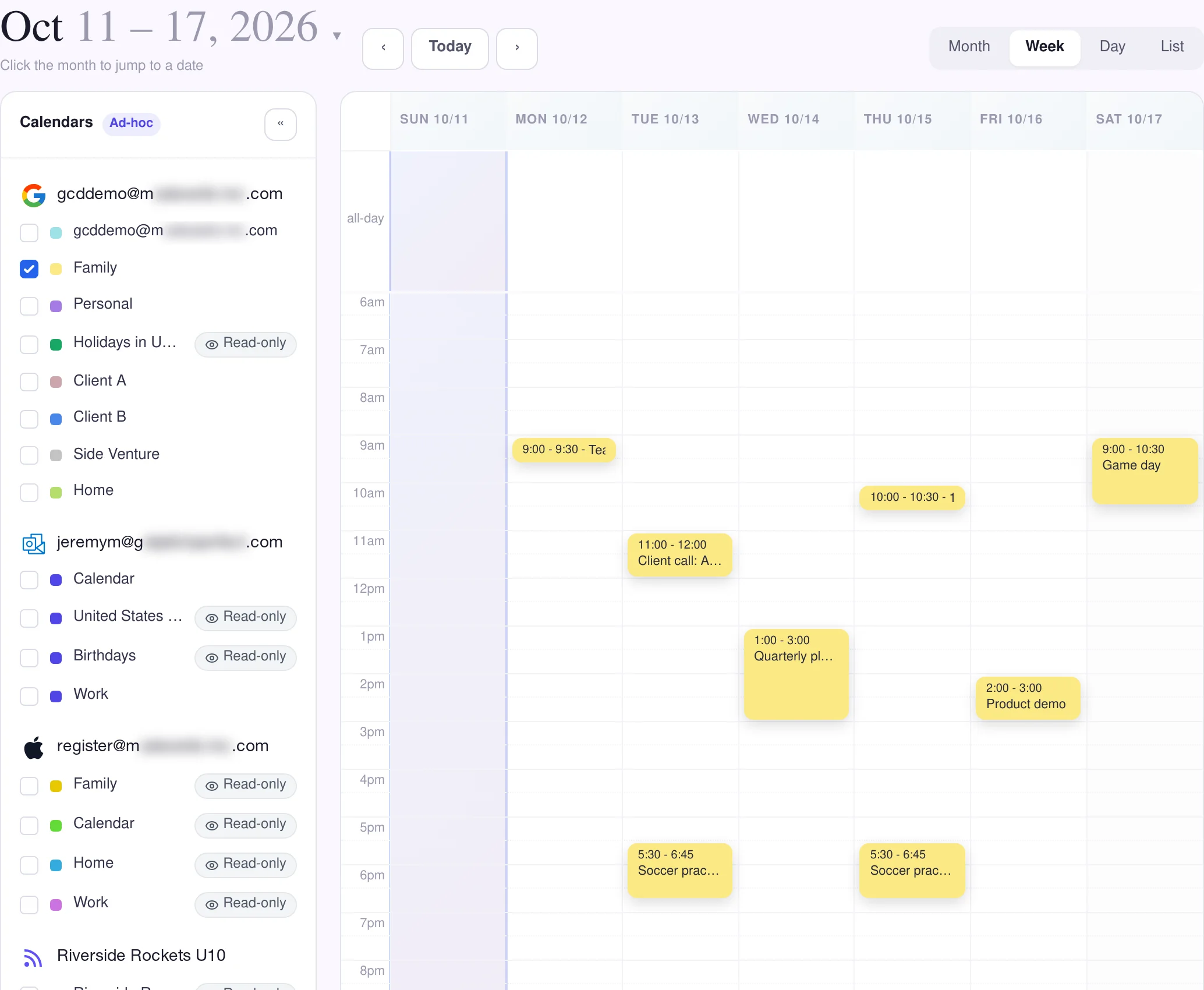
From then on, practices and games sit on the family calendar beside everything else that's on it:
Good to know
- It only goes one way. A feed is read-only: GetCalendario can copy events from it but can't write anything back. Moving the game on your own calendar doesn't move it for the team, which is how you'd want it.
- Changes arrive within about half an hour. We check each feed every half hour, so a cancelled practice disappears from the family calendar soon after the team takes it off.
- One feed per team or school. Two kids in two sports means two feeds, each with its own connection. You can add up to 10 feeds, and they don't count toward your plan's number of calendar accounts.
- Only the games, not every practice? Set the connection to sync only the events that match and match on "Game".
- Everyone else's calendar too. To get the family calendar, team schedule included, onto the calendar a parent already checks, see get the family calendar onto the one you already use.
- Calendar feeds are part of the paid plans and the free trial.
The Riverside Rockets in these pictures are made up.