
How to stop certain events from syncing
Updated 3 September 2026
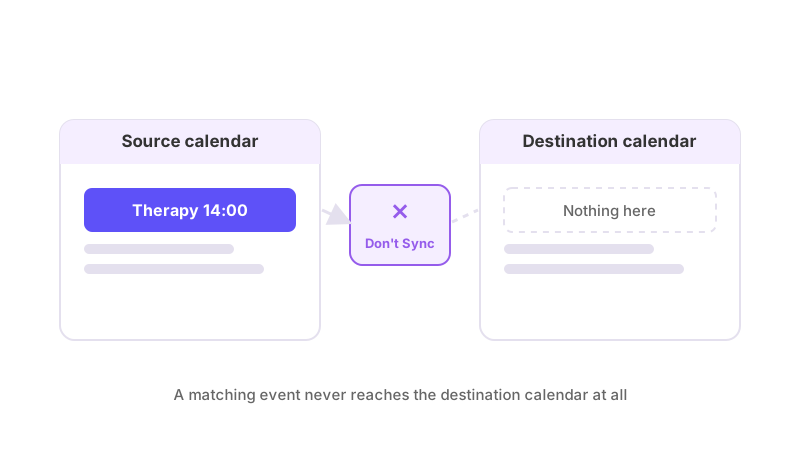
Not every event on a source calendar belongs on the destination one. A sync filter set to stop events from syncing keeps them off it completely — no placeholder, no blocked time, nothing at all.
What this filter does
Where most filters change how much detail a synced event carries, this one prevents the event from syncing in the first place. If it matches, the destination calendar simply never gets a copy of it — and if a copy already exists from before the filter was set, that copy is removed. There's no partial version left behind; it's a full exclusion.
What a filter can match on
A filter matches an event by one of four things: its title, its description, its location, or its private/public status. You choose the field and the keyword to match against — for example, a filter on title matching "Personal" would catch any event with that word in its title, or a filter on visibility matching "private" would catch every event marked private, regardless of what it's called.
Setting one up
Filters live on the Sync Filters page for a connection. Pick the connection, choose "Don't Sync" as the rule's action, pick which field to match on, and enter the keyword. You can apply the same rule to more than one connection at once when you create it, but each copy is independent from that point on — editing one later doesn't touch the others.
A rule belongs to one connection — if you're the primary
If you own the connection, a rule you create on it is pinned to that connection alone. It has no effect on any other connection, even a second one running between the same two calendars in the opposite direction, or one you set up later on a different calendar pair. If you want the same exclusion applied elsewhere, you set it up again on that connection specifically.
A secondary's rule works differently
If you're a secondary — someone whose calendar a primary account holder has connected, rather than the person who owns the connection — you can't create a "Don't Sync" rule at all. A secondary can only redact event details, never stop an event syncing outright. See how to hide event details but keep the time blocked for what that filter does and how its scope differs from a primary's.
What this doesn't do
Stopping an event from syncing only ever affects the one connection the rule is pinned to (for a primary). It doesn't change anything about the event on the source calendar, and it doesn't stop the event syncing through a different connection that also reads from that same source. It also only reaches events inside your plan's sync window — see how far back and forward does calendar sync go for what that means for an event that's currently outside it.
If you add or remove the matching keyword later, the effect isn't limited to future events: it reaches back over anything already synced that falls inside the window, within seconds. What happens when I add or delete a filter keyword covers exactly how that works, including what happens if the connection is paused when you make the change.